
How to contact a domain name’s owner?
Finding a domain name’s owner was much easier before January 2025. But, now it is more difficult, due to internet privacy laws and regulations.
This article provides instructions in plain English for individuals, companies, and organizations to contact a domain’s registrant for a legitimate reason, including legal disputes, trademark infringement, abuse, or buying the domain (also known as domain acquisition or bona fide purchase.)
Where can I find the owner of a domain name?
Before 2025, you would use a WHOIS service to lookup a domain name’s registration data, like email and phone number. Most of that data is now replaced with a placeholder text like “Redacted for Privacy.”
Here is how to find registration data for contacting a domain’s registrant today:
1. Use an RDAP Lookup Tool
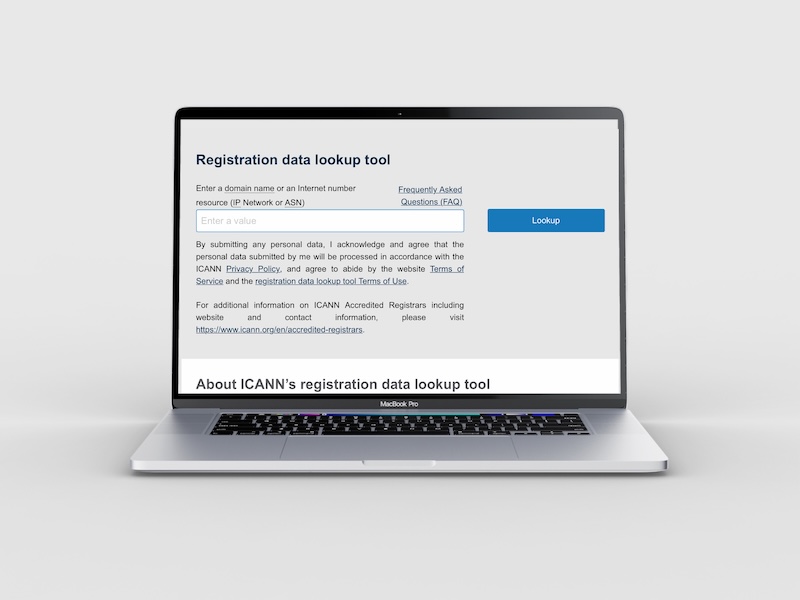
The registration data for a domain name can be found by using RDAP (Registration Data Access Protocol) servers.
- ICANN Lookup: The official industry standard. It queries RDAP directly and provides the most authoritative public view of a domain’s registration data.
- RDAP.org: A community-driven tool that helps you query specific registries directly.
This lookup will get you the domain registrar info so you can try to contact the domain owner. (Every domain name is registered through a registrar.)
2. Find the “Redacted” Owner
Here are 4 ways to get one step closer to contacting the domain owner:
- Registrar-Specific Tools: Go to the domain name’s registrar website (e.g. GoDaddy, Namecheap, or Porkbun), where a “Contact Domain Owner” form may be available.
- Registrar: Knowing who the registrar is allows you to send an official inquiry or a legal notice. For a domain name ending in .bible, go to whois.bible to lookup where a domain is registered.
- Abuse Contact: Every domain name record must list an email or URL for reporting abuse (phishing, spam, cyberattack, illegal use, etc.) Alternatively, you may contact the top-level domain registry. For example, get.bible is the registry operator for .BIBLE domain names. Go to get.bible/contact to report abuse.
- Organization: Sometimes an organization name or business name is visible in the domain name’s registration info.
3. Make an Official Request
When a domain registration’s info is redacted, you must have a legitimate reason (legal disputes, trademark infringement, or domain acquisition) to view a domain’s private data.
Visit the Registration Data Request Service (RDRS) to submit a request for private domain info. This ticketing system will send a request to the domain’s registrar. But, that registrar may decide whether or not to grant access to the nonpublic domain data.
Note: RDRS does not cover 2-letter ccTLDs (Country Code TLDs, like .uk, .ca, .tv, and so on.) You would need to contact a specific national registry to make an inquiry.
Tip for a Successful Response
Be specific. Avoid vague language like “I want to buy the domain.” Use professional language to explain why you want to contact the domain owner. When you have interest in buying the domain, say something like “Negotiate a bona fide purchase” and provide evidence of your intentions.
This article was personally handcrafted with AI assistance. For more details about using RDRS, see gemini.google.com/share/1b47afcf3c6d.